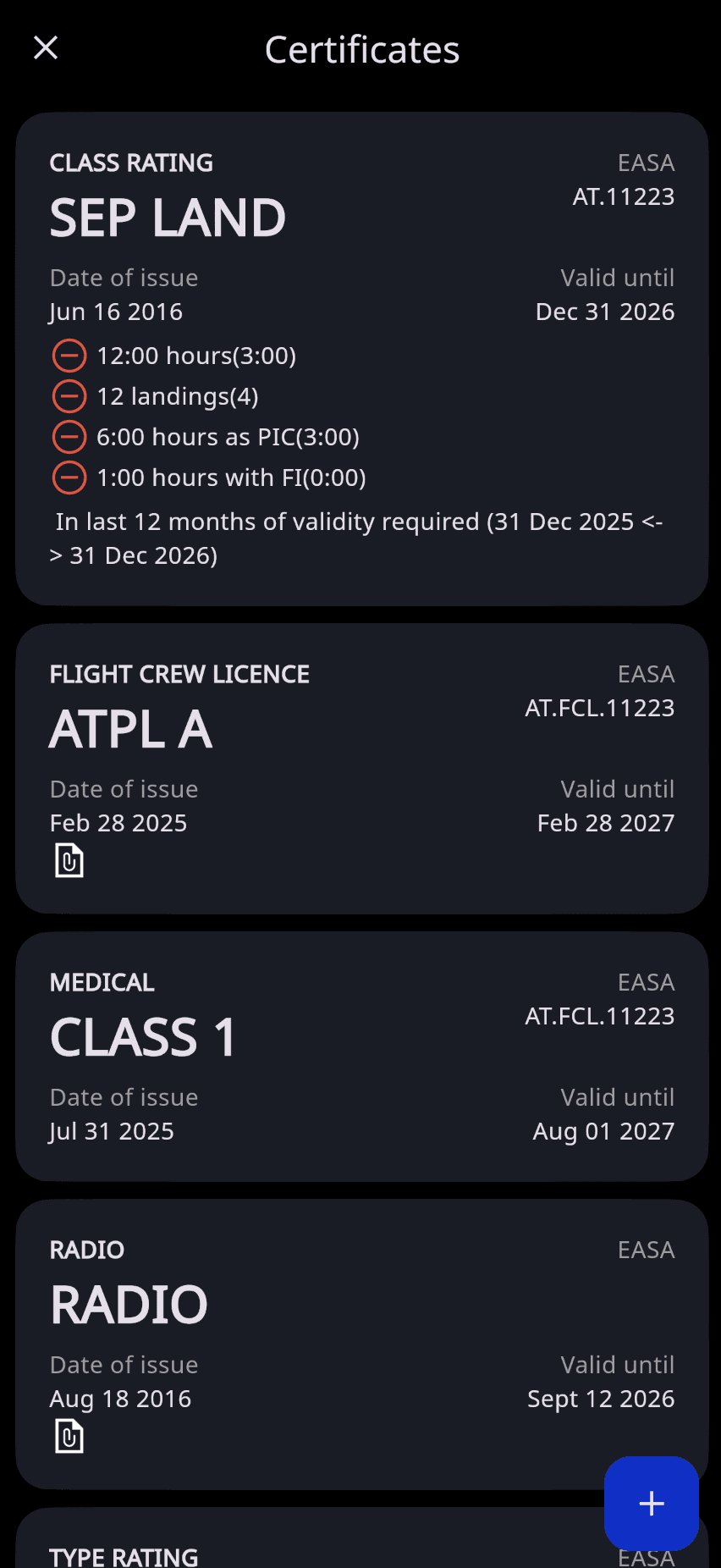
The Certificates & Ratings section allows you to maintain a complete record of your pilot certifications, ratings, medical certificates, and other qualifications. By keeping this information up to date, you can easily monitor validity periods, receive expiration reminders, and support compliance with aviation authority requirements.
How to Access
Mobile App: Tap either of the buttons shown below and scroll to Certificates.
Web App: Open the Certificates tab in the left navigation menu.
Adding a Certificate or Rating
Tap the + button, select the appropriate record type, and complete the required fields.
The information entered in this section is used throughout FLYLOG.io to help you monitor qualification validity, track recency requirements, and receive expiration reminders. For the most accurate results, we recommend keeping all certificates and ratings up to date.
FLYLOG.io will automatically notify you via email and in-app notifications before any recorded qualification expires.
⚠️ Important: To track EASA Instrument Rating (IR) recency, your Skill Rating must be configured correctly. Navigate to Certificate → Skill Rating, complete the relevant details, and enter the required dates.