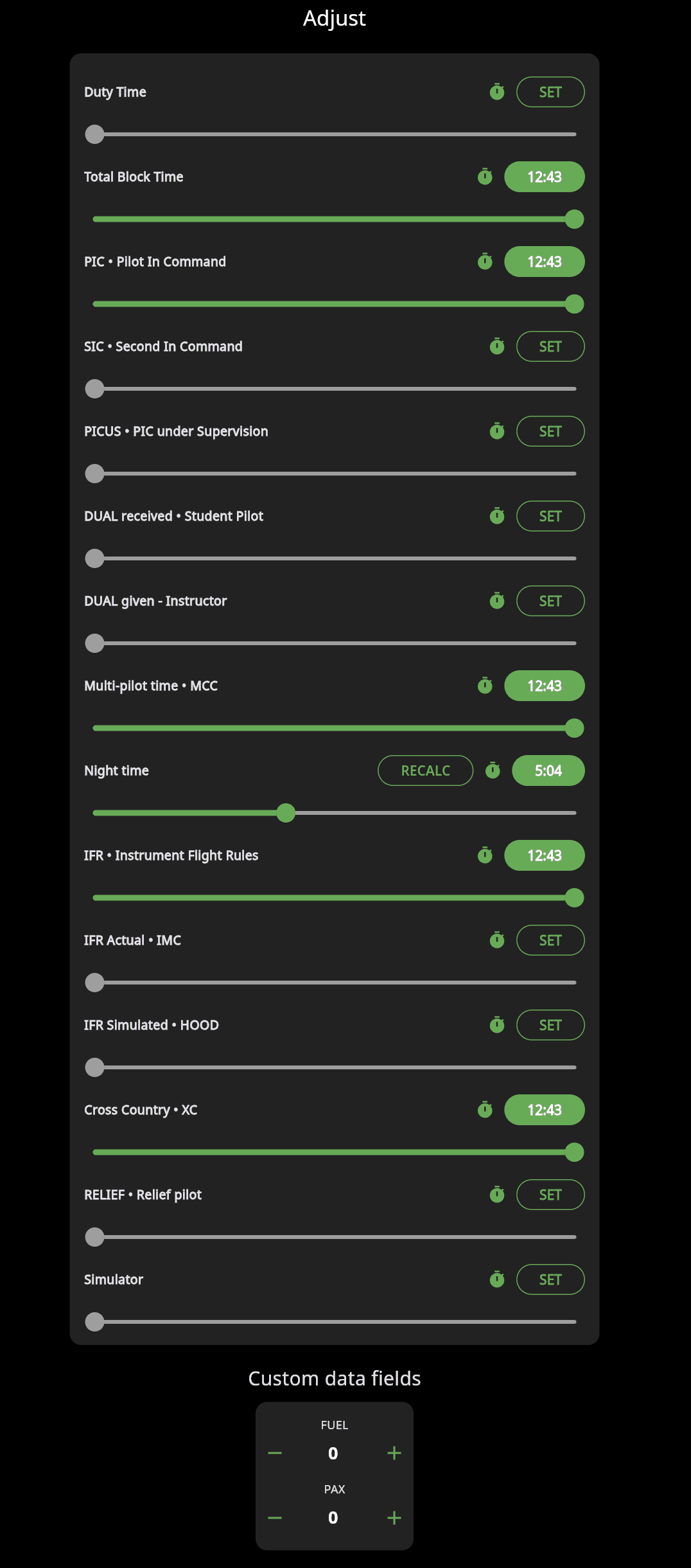
The "Adjust Values" function allows you to manually modify or fine-tune flight time entries across various categories. This feature ensures your records remain accurate and tailored to specific flight scenarios or reporting standards.
Mobile App: In the flight detail, tap the "pen icon" for editing, then scroll to the "times" section and click "adjust."
Web App: In the flight detail, tap the "pen icon" to edit, and then click the "adjust values" button in the flight form.
Adjustable Fields
Duty Time – Recorded for duty/rest regulations, not flight experience.
Total Block Time – Time from gate departure to arrival (engine-on to engine-off).
PIC (Pilot in Command) – Time logged as pilot in command.
SIC (Second in Command) – Co-pilot time.
PICUS (PIC Under Supervision) – Time logged under supervision before full PIC privileges. (Recognized under EASA and ICAO, not FAA.)
DUAL Received / Given – Instruction time, either received (student) or given (instructor).
Multi-pilot (MCC) – Multi-crew cooperation training, typically in simulators, required under EASA for multi-pilot aircraft type ratings.
Night Time – Night flying time, with a RECALC button to auto-calculate.
IFR / IFR Actual / IFR Simulated – Instrument flight times, including simulated (hood) or actual IMC conditions. Simulated IFR requires a safety pilot (FAA) or instructor (EASA), and actual IFR must involve IMC or ATC clearance, depending on the authority.
Cross Country (XC) – Cross-country flight time.
Relief Pilot – Time acting as a relief pilot.
Simulator – Time in an approved simulator session.