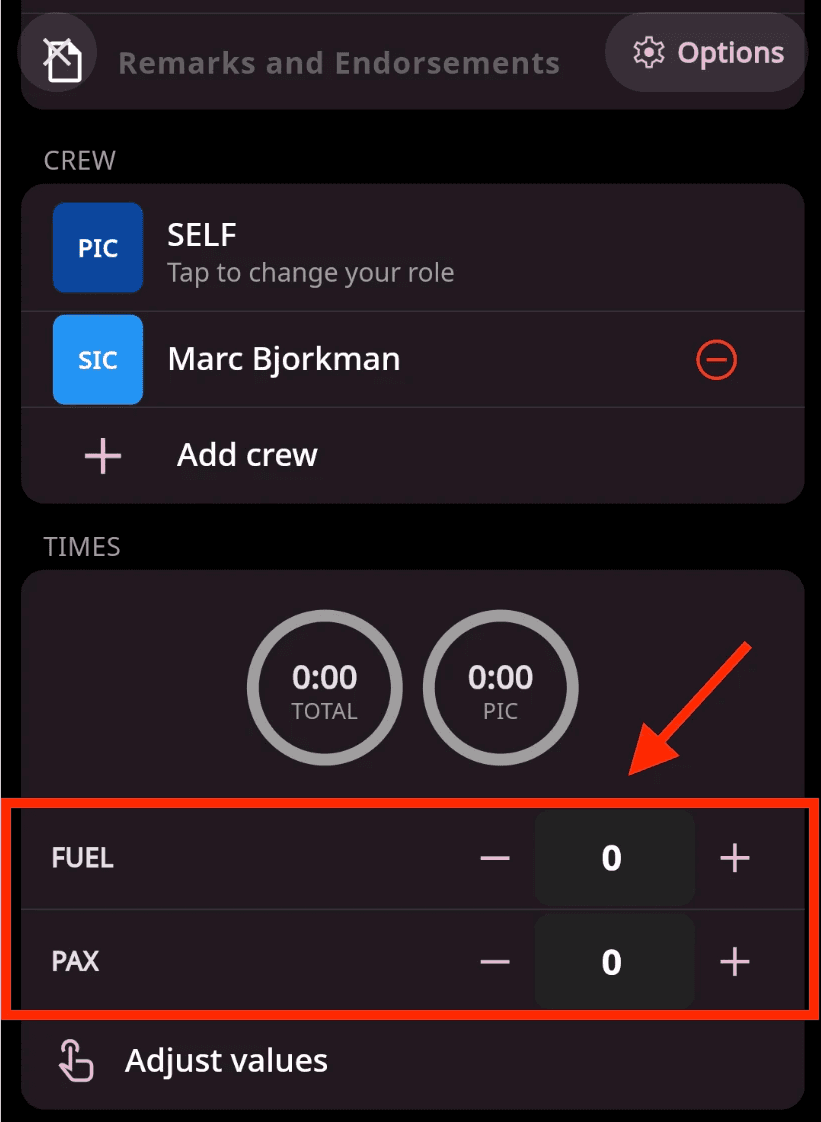
Every pilot has unique operational requirements and may need to track parameters beyond standard flight data. Custom Fields let you define and record exactly what matters to you, such as fuel consumption, passenger counts, equipment status, or any other flight-specific information.
Data entered in custom fields is available in the Totals section, helping you review trends and gain deeper insight into your operations.
How It Works
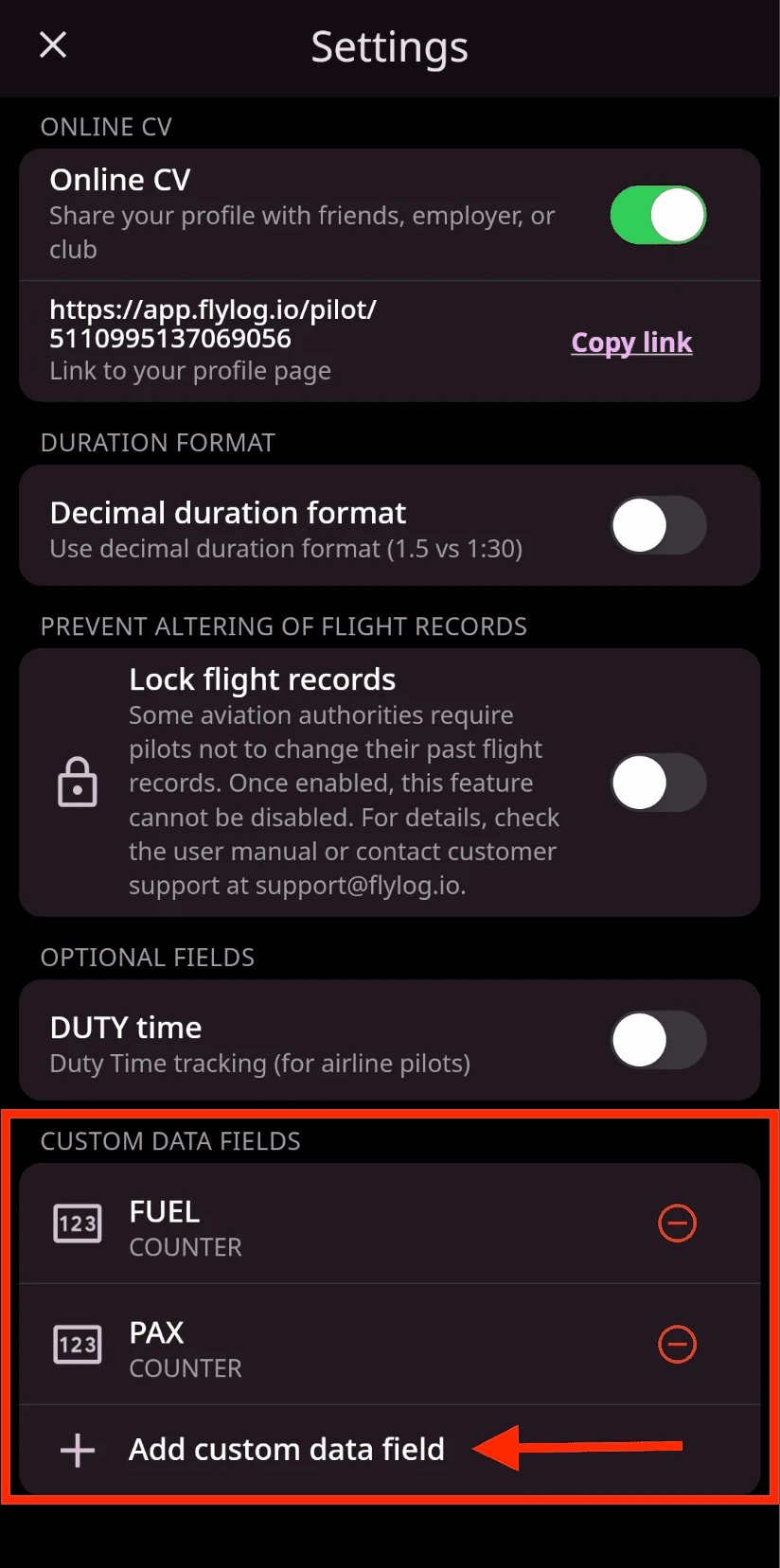
Create custom fields: Go to Settings and define new fields. Choose the appropriate data type: Counter or Duration.
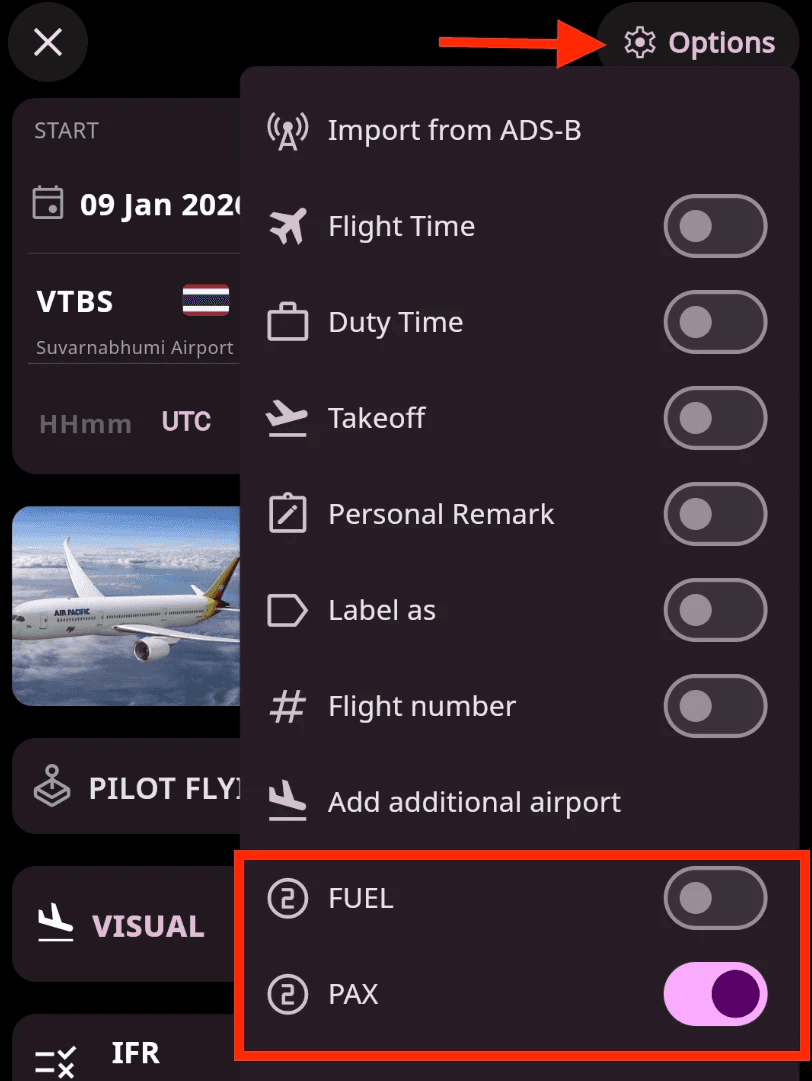
Enable fields for logging: Custom fields appear in the Options section of the manual flight form. Enable or disable them based on your current logging needs.
Enter data during logging: Scroll down in the flight logging form to find your custom fields and enter the relevant values.