Contact feature allows to easily manage and access important contacts, such as crew members, clients or pax.
Mobile App: Tap one of the buttons shown below (choose either option) and scroll down to "Contacts."
Web App: Select "Contacts" from the top menu.
Tap the plus (+) button to create a new contact record.
See the instructions below for further details.

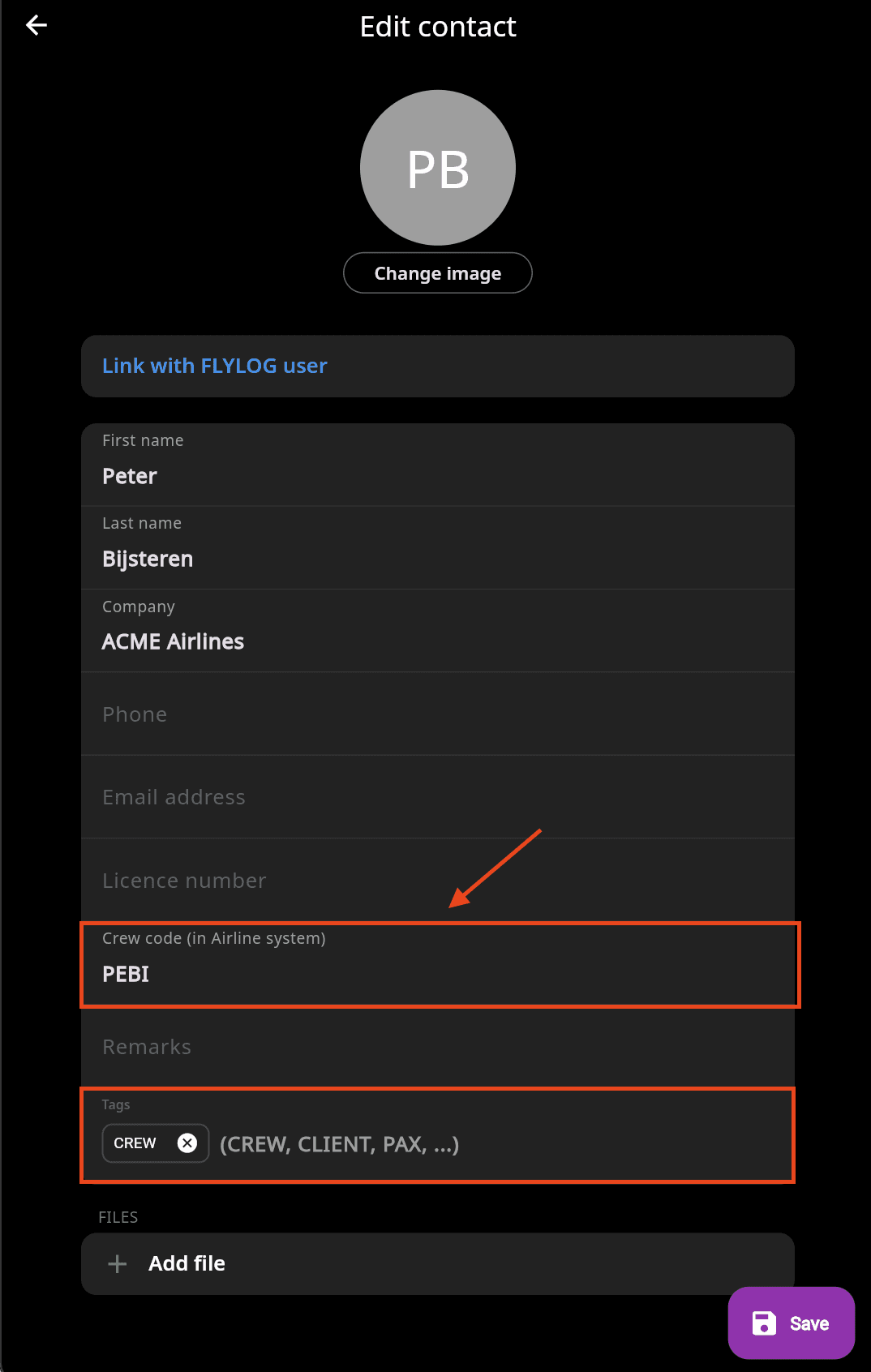
Add CREW CODE
To ensure accurate identification of your crew members when importing airline data, it’s essential to include their crew code from the airline system in their contact information.
⚠️ Without the crew code, the system may create duplicate contacts for the same individual, even if they are already in your contact list.
Use TAGs
To easily group and search your contacts on specific criteria. Read info about TAGs in the dedicated article.