Easily import your previous experience from supported e-logbook apps, including popular options such as:
LogTen Pro
ForeFlight
Garmin Pilot
MCC PilotLog
CrewLounge PilotLog
SafeLog
MyFlightBook
…and 10 more
Mobile App: Tap your profile picture (top left), scroll down to the Import tab, and select Migrate from Another Logbook.
Web App: From the left-side menu, select Import, then choose Migrate from Another Logbook from the options screen.
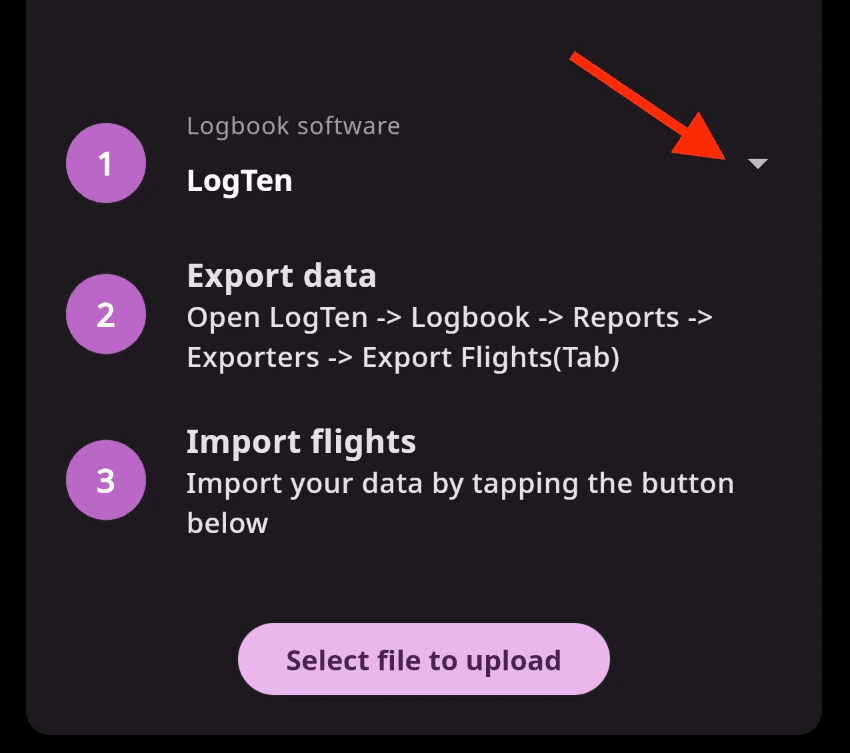
Select provider, follow download instructions and upload data as a TXT or CSV file.
⚠️ If you have problems with import, send us your file to support@flylog.io. Alternatively, you can set the Opening Totals and continue adding your new flights from there.
Still need help?
Send us an email and our support team will help you.
Contact support