Opening Totals provide a quick way to carry over your accumulated flight experience into FLYLOG.io without importing or digitizing your historical flights. This option is ideal if you only want to track new flights going forward while preserving your current totals.
If you would like to maintain a complete digital flight history, consider using our Paper Logbook Scanner, airline imports, eLogbook imports, or other available import options instead.
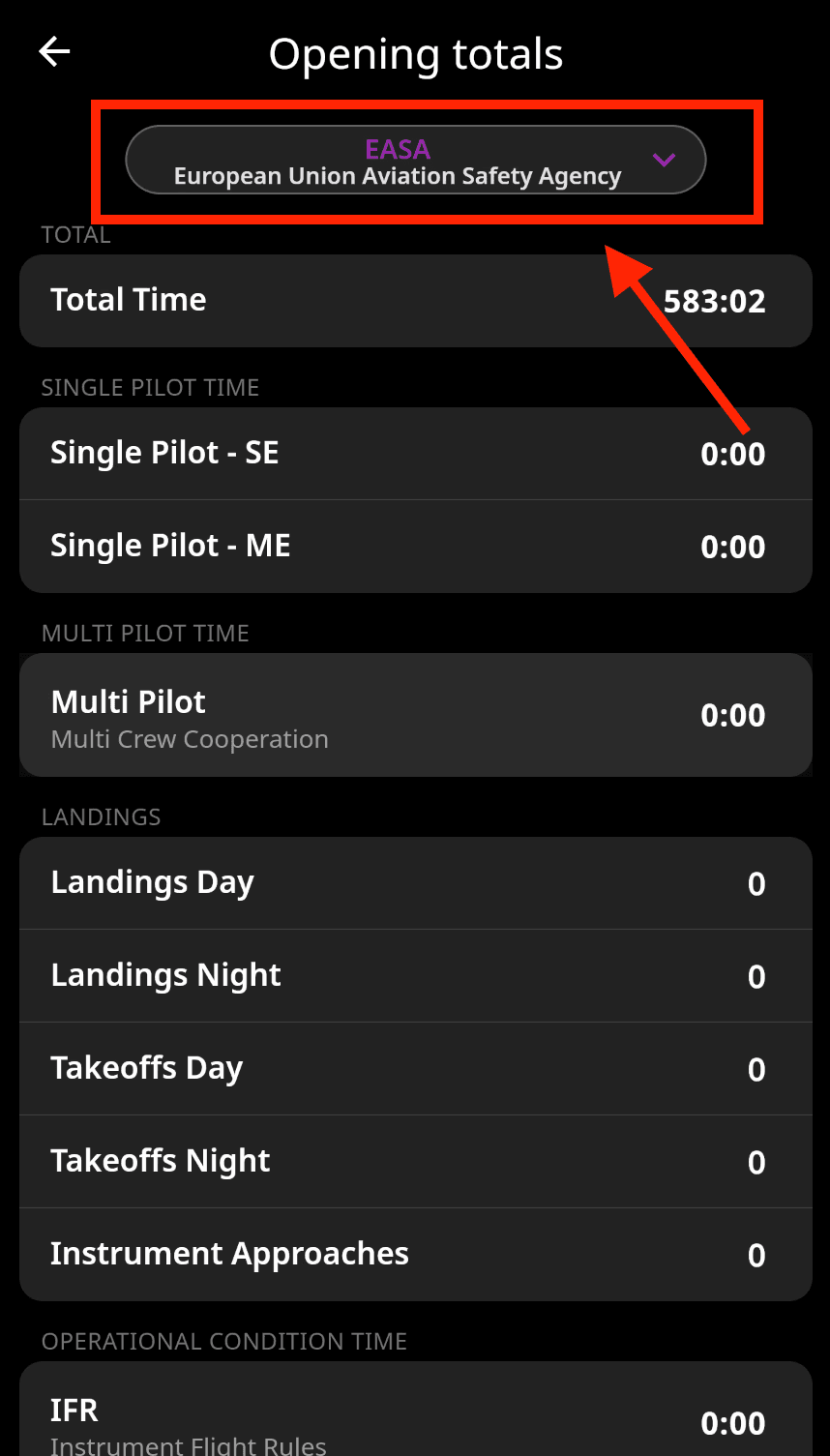
Mobile App: Tap your profile picture (top left) and scroll down to the Opening Totals section.
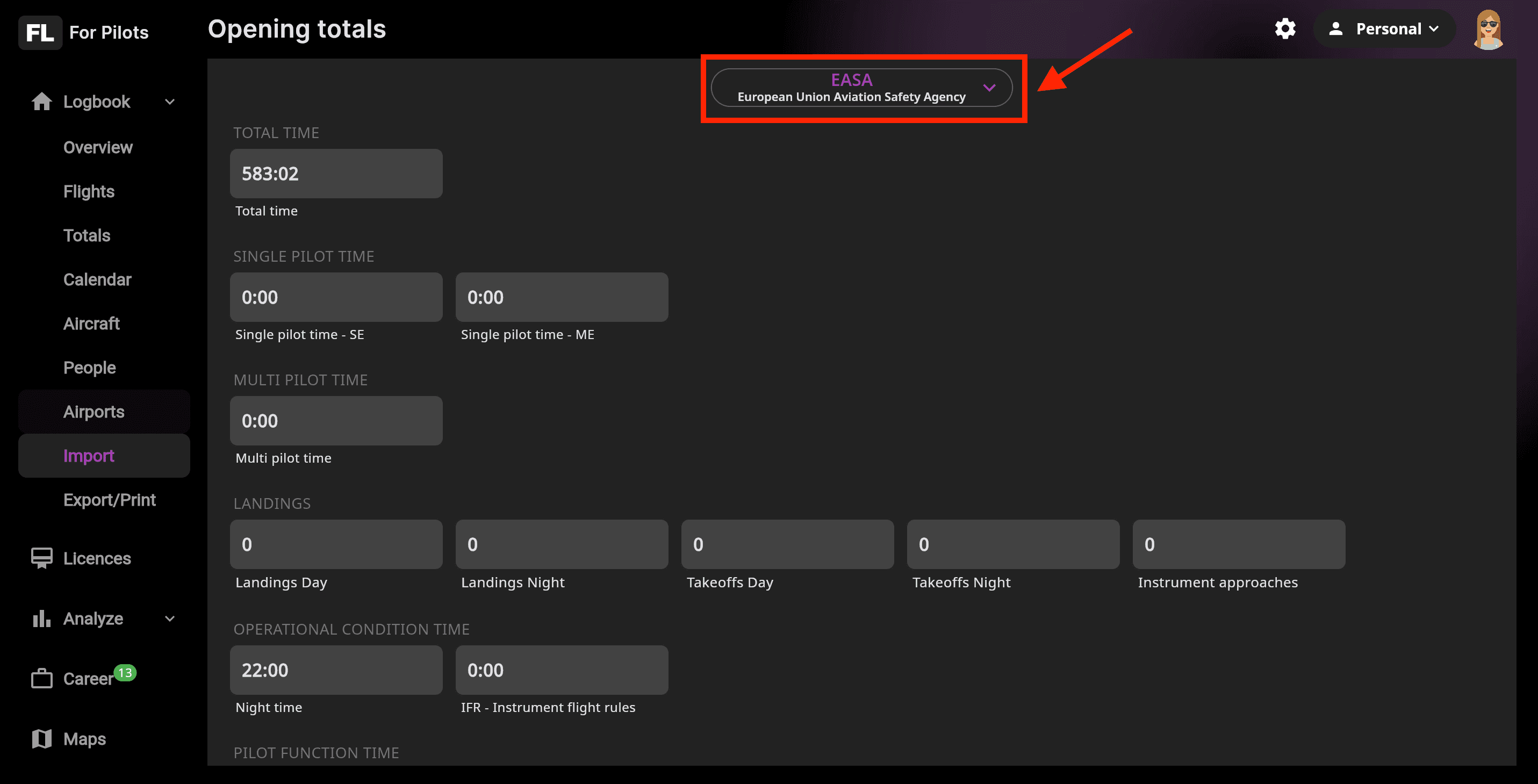
Web App: From the left-side menu, select Import, then choose Opening Totals.
To get started, select your Aviation Authority from the top menu and enter your current flight hours, landings, simulator time, and other accumulated values. These totals will serve as the baseline for all future flight logging.
To include totals by aircraft type, see the section below ⬇️.
💡 Tip: Opening Totals are perfect for pilots who want to start using FLYLOG.io immediately without digitizing historical records. You can always add older flights later using manual entry or one of the available import options.
Mobile App Interface
Web App Interface
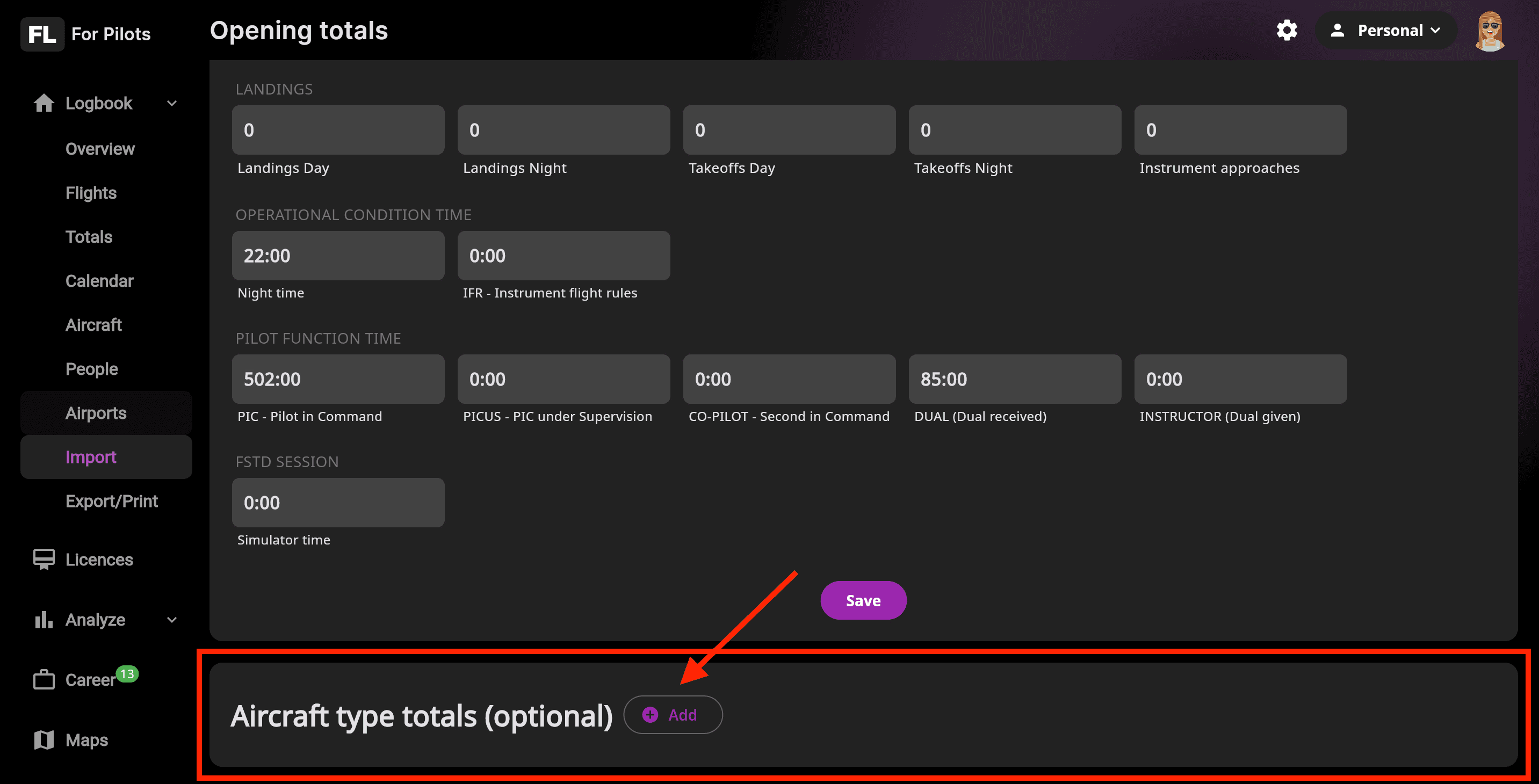
Aircraft Opening Totals
To add aircraft type totals, scroll down in the form to the Aircraft Type Totals section and select the aircraft type from the database. If you are using our platform on a tablet, we recommend switching to landscape mode for the best experience.