Account Management
Logbook Settings
Custom Fields
Lock Flight Records
Certificates & Ratings
Aircraft/Simulator Database
Import Options
Airline Pilots
AIMS eCrew
Opening Totals
Paper Logbook Scanner
Custom Bulk Import
Migrate from eLogbook
Custom & Legacy Data
Automatic Imports
Data Backup
Data Backup
Data Backup
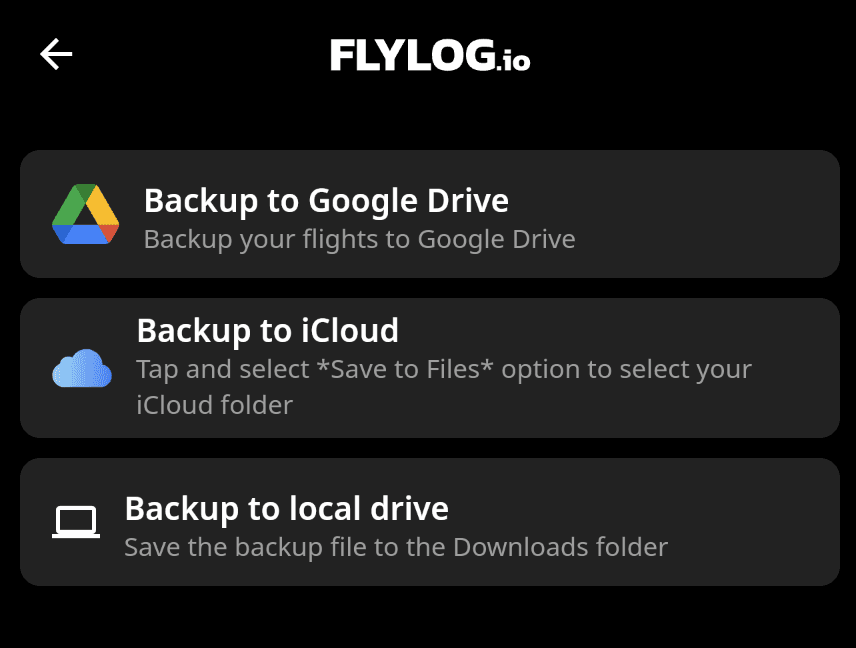
We strongly recommend that all users back up their data regularly. You can easily do this with iCloud, Google Drive, or your local drive. Backup files can be opened in any spreadsheet editor, such as Google Sheets or Microsoft Excel.
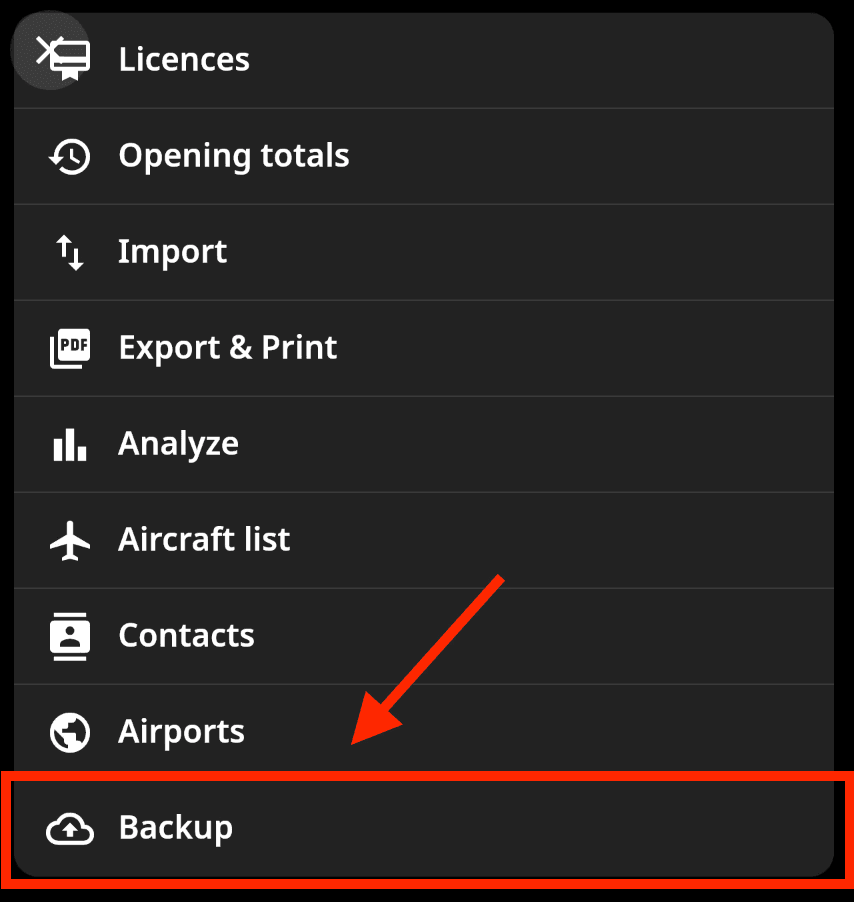
To access the backup feature, go to your user profile and scroll down to Backup.
Back
Account Management
Logbook Settings
Custom Fields
Lock Flight Records
Certificates & Ratings
Aircraft/Simulator Database
Import Options
Airline Pilots
AIMS eCrew
Opening Totals
Paper Logbook Scanner
Custom Bulk Import
Migrate from eLogbook
Custom & Legacy Data
Automatic Imports

Pilot logbook and aircraft management software, trusted worldwide since 2014.
GET THE APP



I MANAGE AIRCRAFT
FLYLOG.io 2014-2026. Copyright Breele s.r.o., Prague (EU). All rights reserved.


Pilot logbook and aircraft management software, trusted worldwide since 2014.
GET THE APP
I’M A PILOT
I MANAGE AIRCRAFT
PRICING
Compare
Resources
Company
FLYLOG.io 2014-2026. Copyright Breele s.r.o., Prague (EU). All rights reserved.