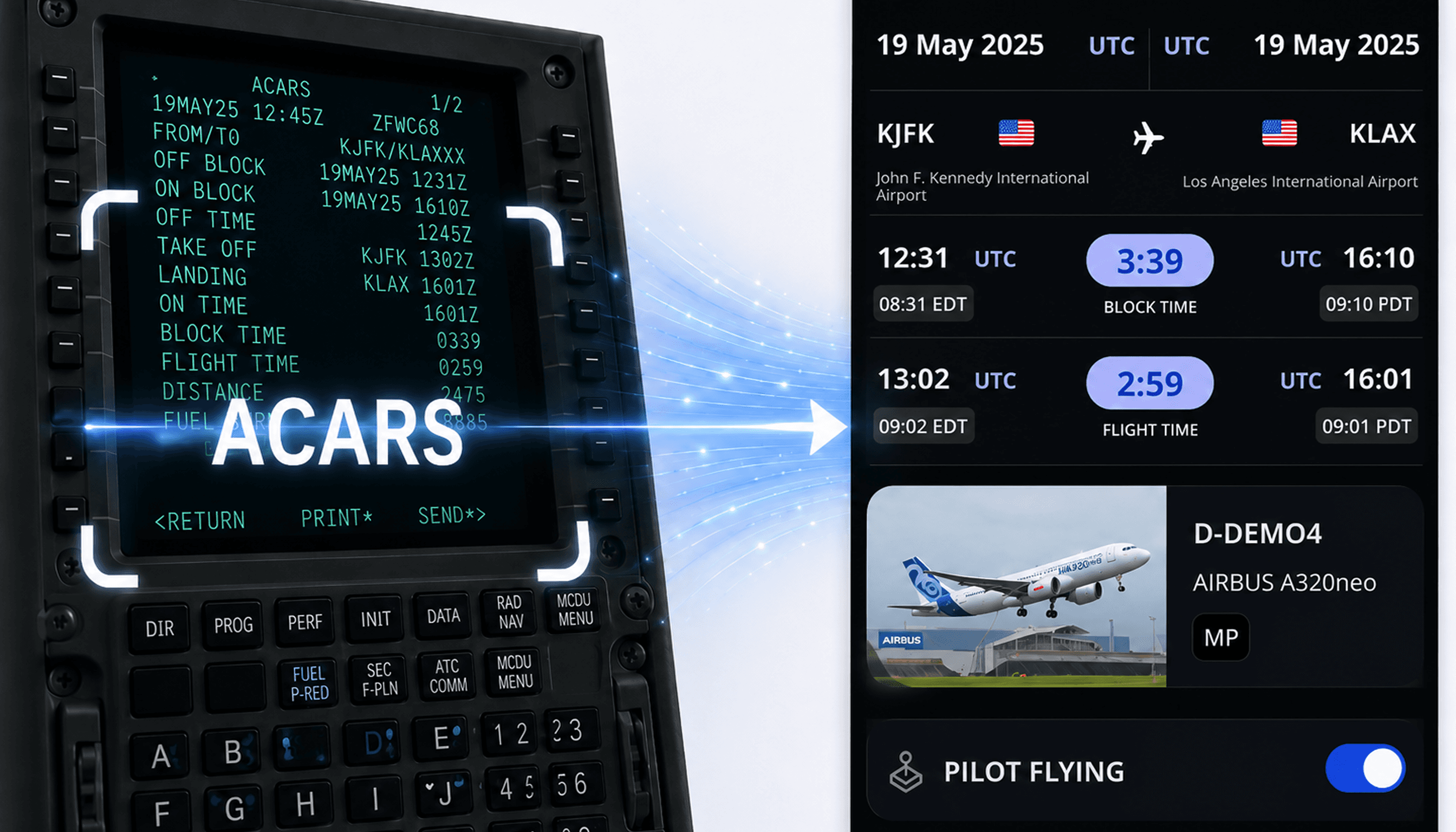
ACARS Scan & Improved Logging for Augmented Crews
At the beginning of the new month, we're introducing two new improvements designed to make flight logging faster and more accurate. You can now scan flight details directly from an ACARS AOC OOOI screen and better record block time when operating with augmented crews.
We're also in the process of rolling out our new Paper Logbook Scanner, designed to help pilots digitize historical paper logbook records. Stay tuned for a dedicated announcement, where we'll showcase one of the most requested features we've ever built.
ACARS Scan
You can now scan flight details directly from an ACARS AOC OOOI screen into your logbook. FLYLOG.io automatically reads available flight data and pre-fills the flight form, helping you save time and reduce manual data entry.
Simply take a photo of the ACARS screen directly from the app or upload an existing image from your photo library. When taking a photo, make sure the entire ACARS screen is visible, the image is sharp, and all information is easy to read.
For detailed instructions, see the ACARS Import guide: https://www.flylog.io/help/acars-import
Improved Logging for Augmented Crews
We've improved logging for pilots operating with augmented crews. You can now log the full flight as duty time while recording only the portion of block time during which you occupied a pilot seat.
How Does It Work?
Log the block time.
Click the Block Time field.
Select Split.
Choose the applicable portion of the block time (1/2, 1/3, 2/3, or 1/4).
This allows you to record pilot functions more accurately while maintaining complete duty records for the entire flight.